
Wedding planner software
Wedding planner software for the work after the booking.
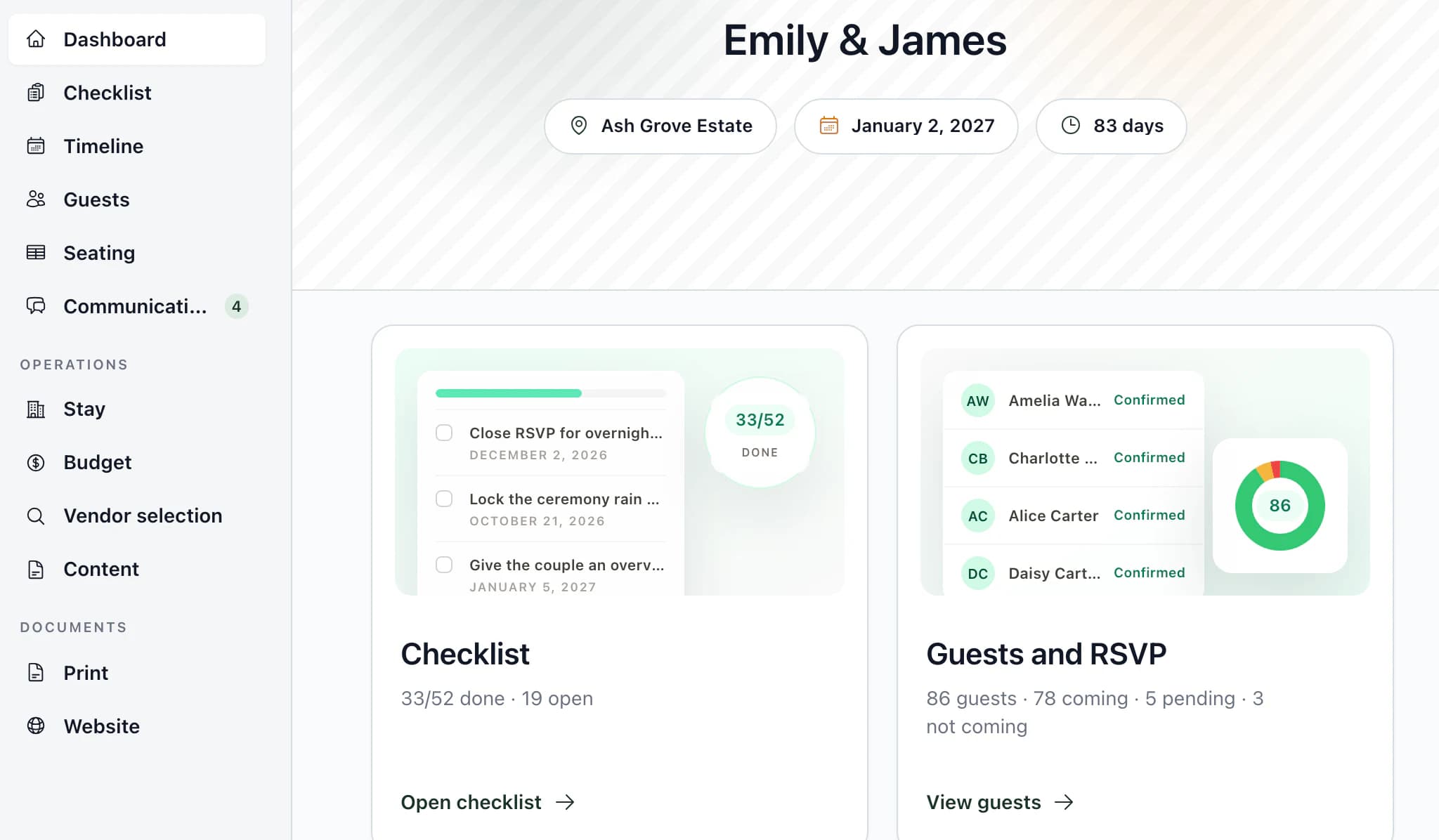
Guests, RSVP, seating, rooms by night, the timeline and vendor documents sit in one project for each wedding. Change a guest once, and the seating plan, kitchen counts and reception list read the same record.
What you run in Kruspin
One project for each wedding.
Everything below works on the same wedding, so you enter a guest, a time or a vendor once.
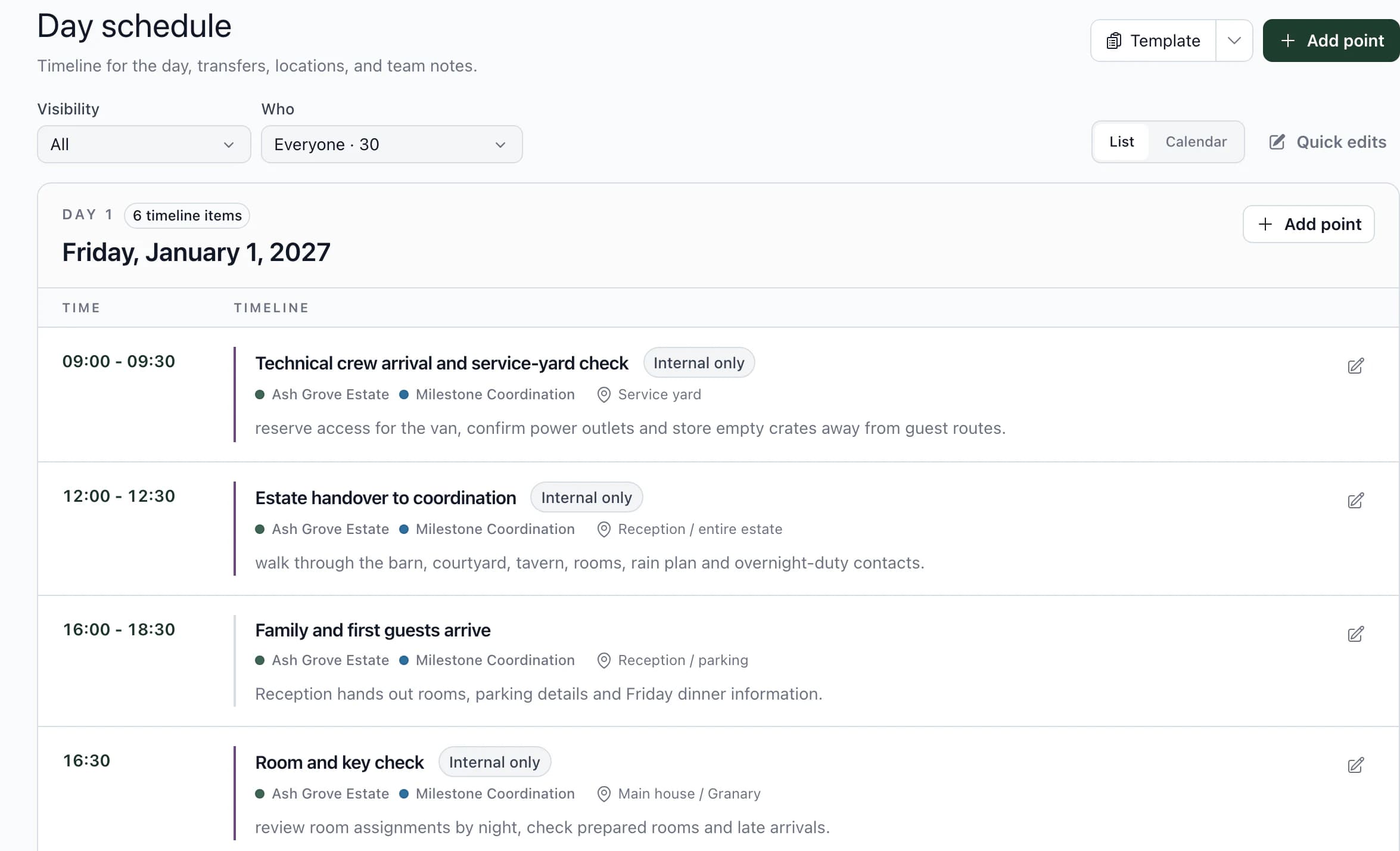
Timeline and run of show
Build the day with times, places and vendors. Each vendor gets a printable timeline with only their items, as a PDF or a link.
Vendor documents
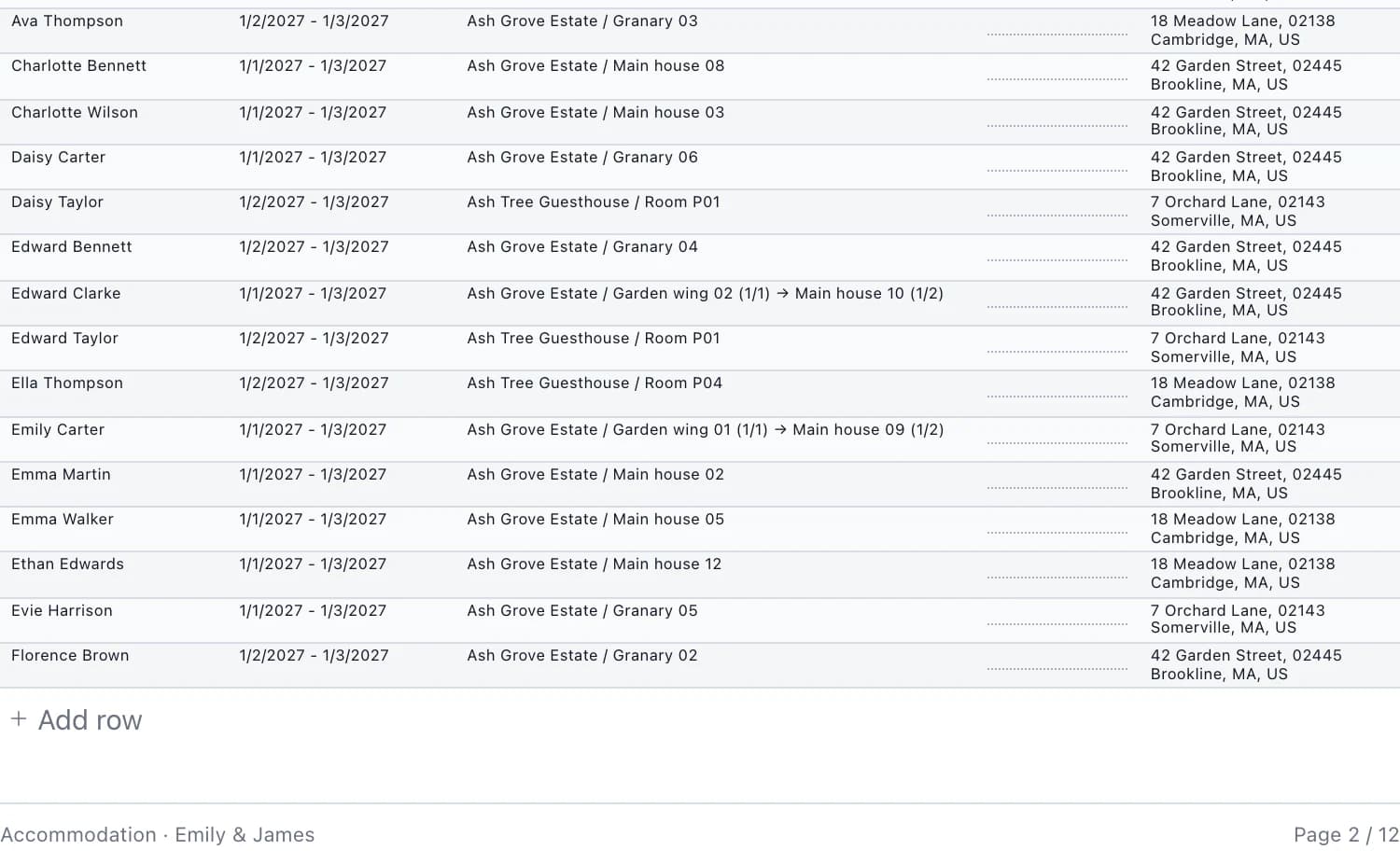
The kitchen gets course times, portion counts and dietary restrictions. Service staff get the table map. Reception gets an alphabetical guest list with each stay and room.
Couple access
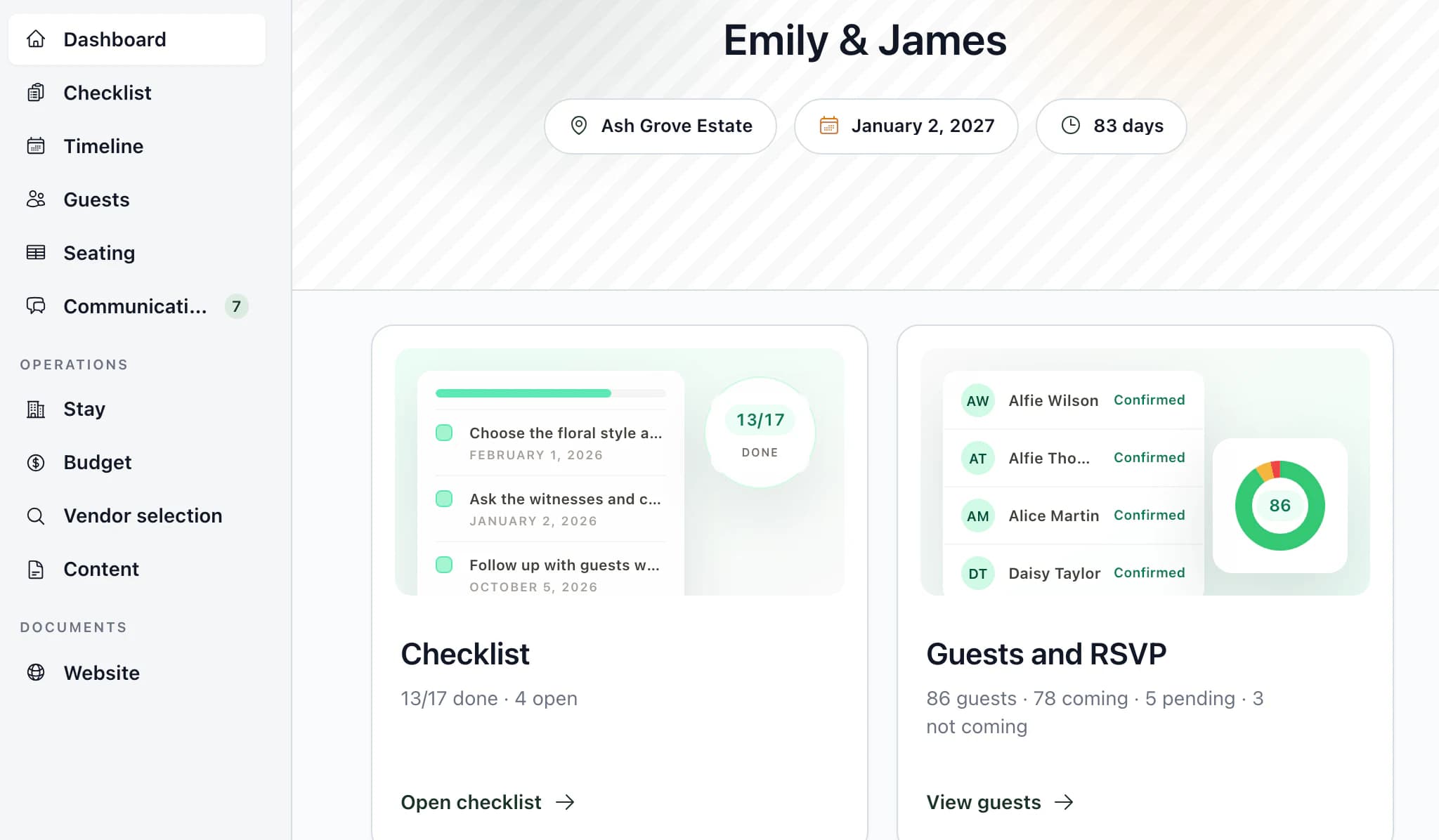
Invite the couple into the same wedding. They add guests and responses, seat guests and assign rooms. Internal threads and tasks stay with your team; budget items, prices and payments are read-only for them.
Guests, RSVP and seating
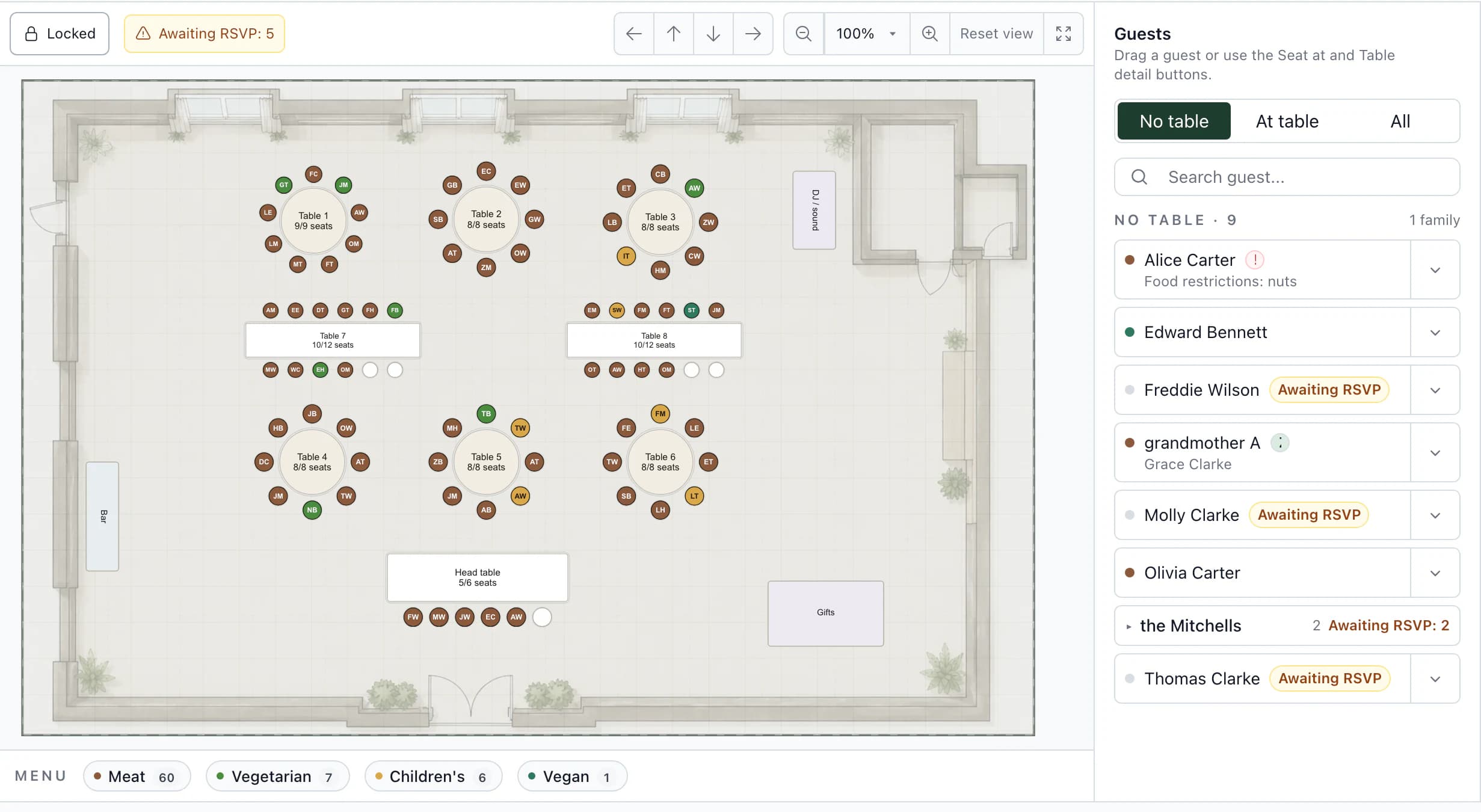
An approved response saves attendance, menu and dietary restrictions to the guest. Seat guests on the venue floor plan and see each menu at the table.
Rooms by night
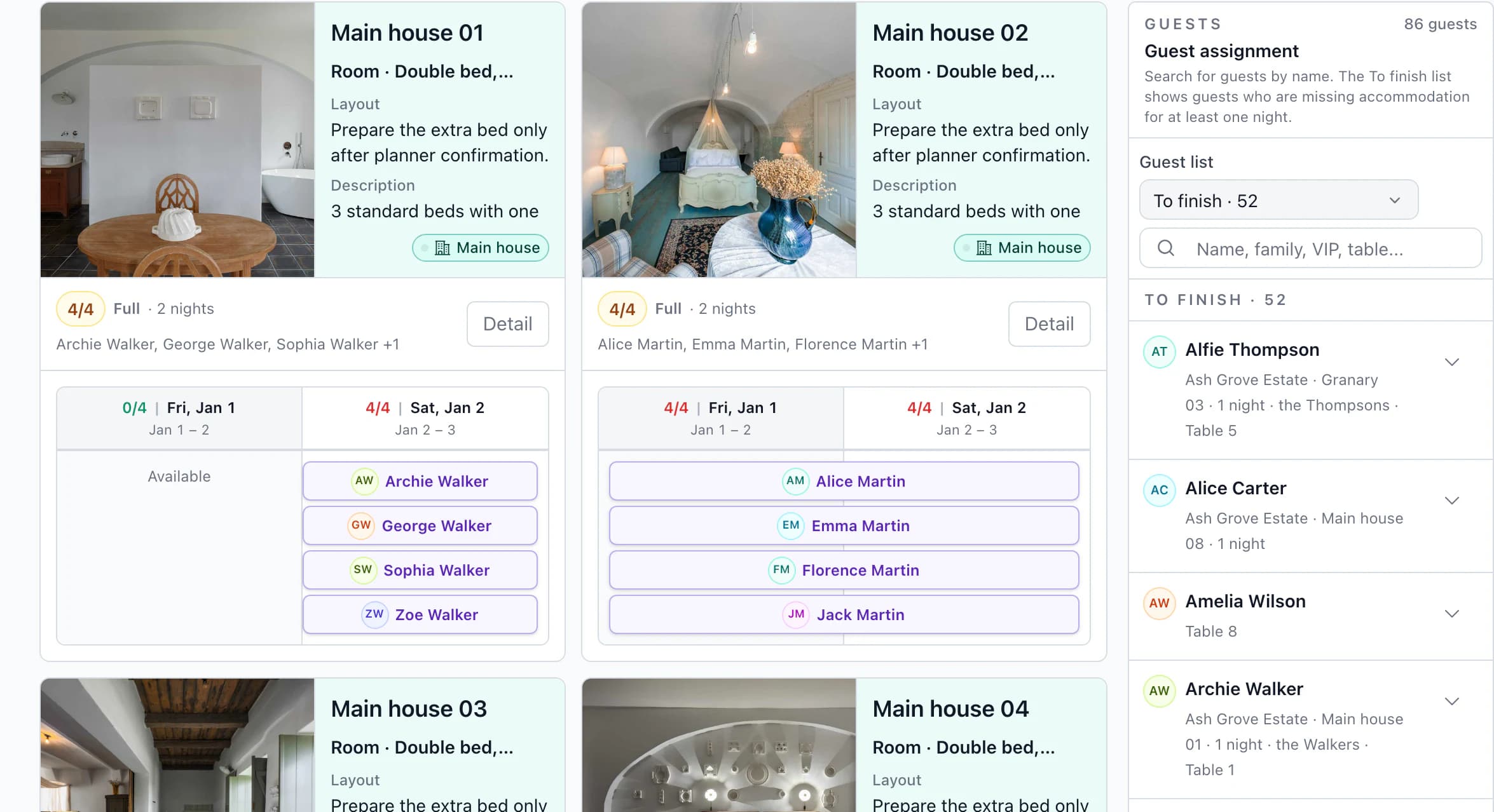
Assign guests to rooms for each night separately. Reception gets the stays, rooms and room changes between nights.
Budget and payment plan
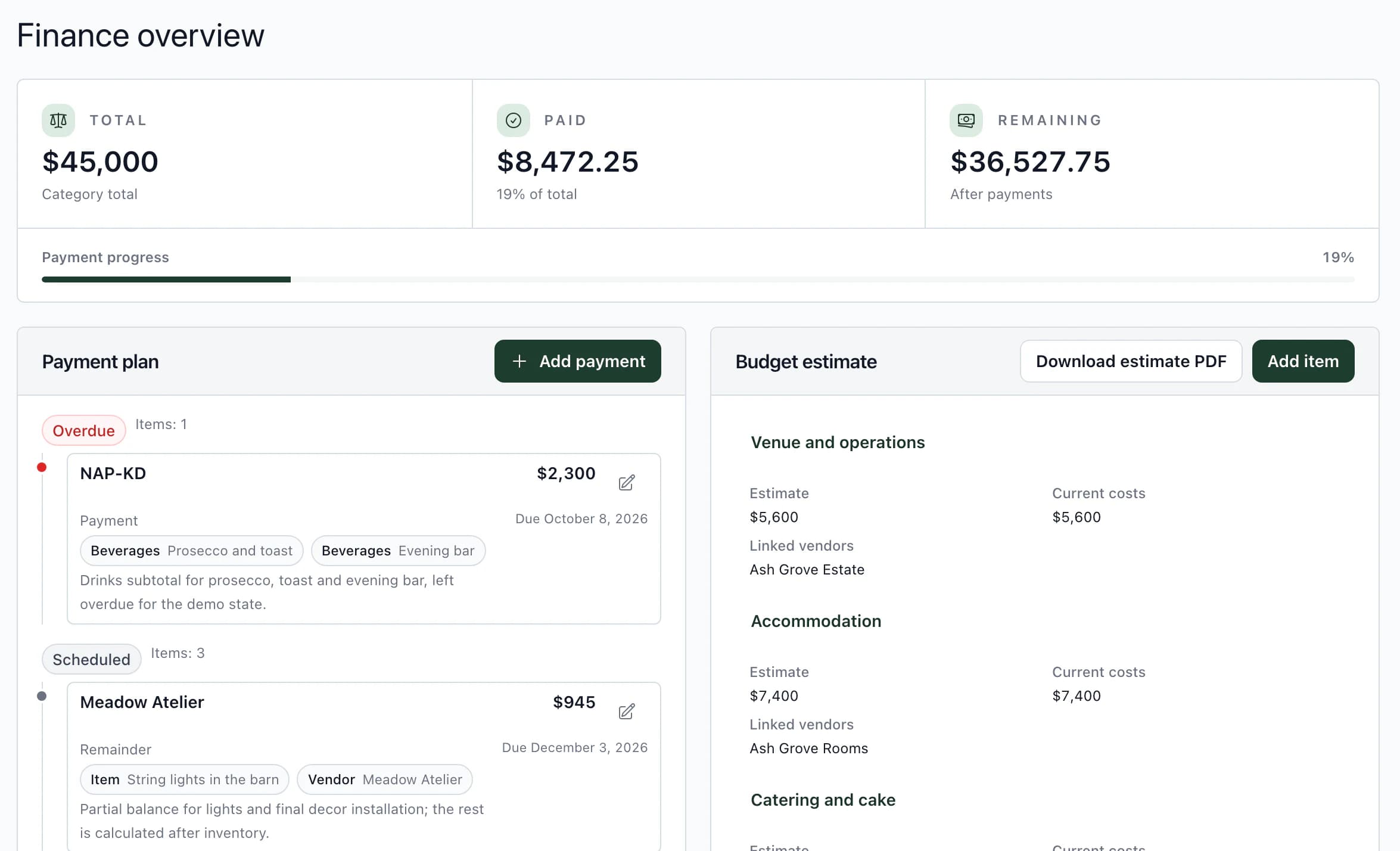
Compare the budget estimate with current costs, track vendor deposits and balances, and keep a payment plan with due dates. Kruspin tracks payments; it does not collect them.
Team tasks and templates
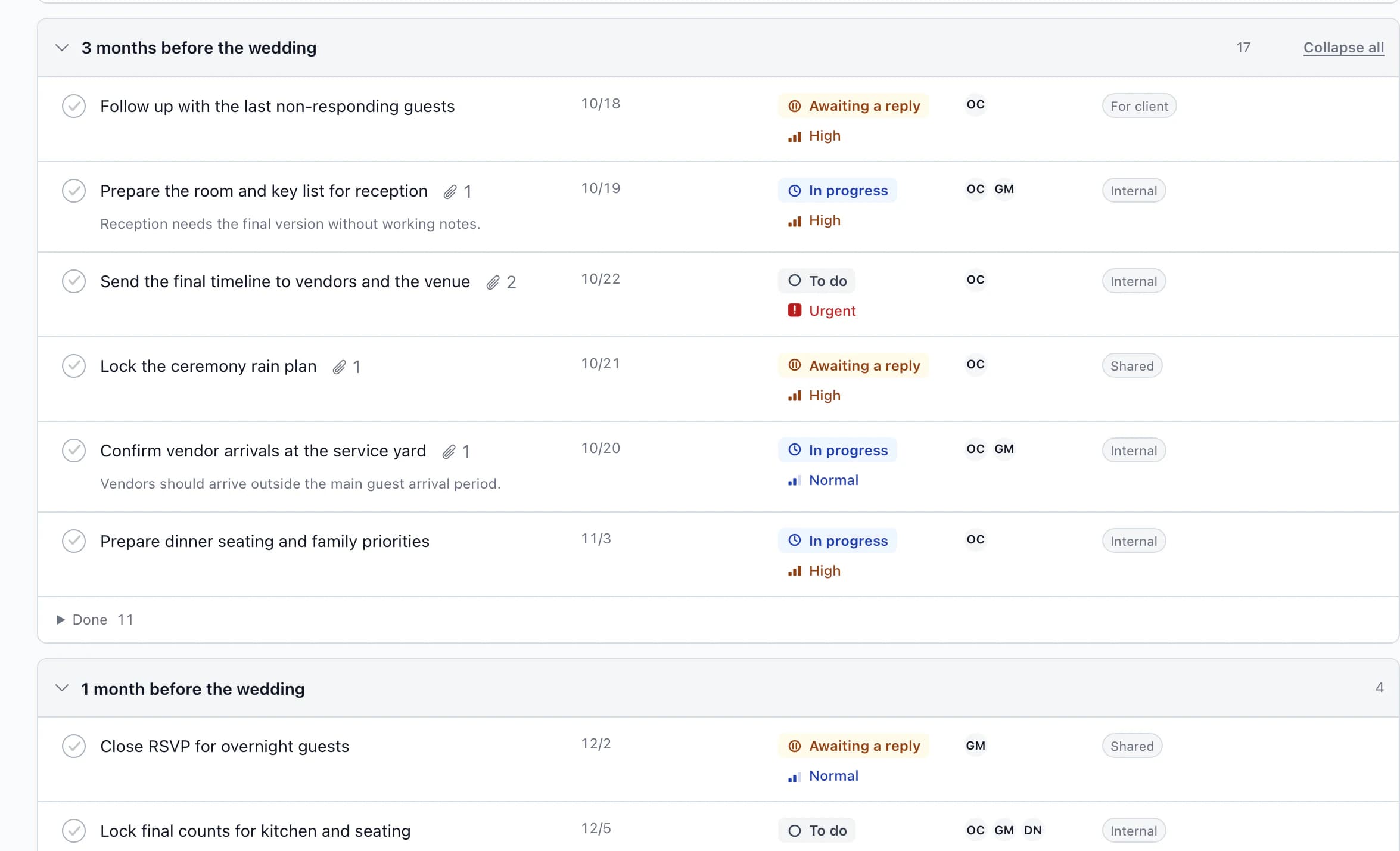
Tasks by month before the wedding, with deadlines and owners. Save your timeline, task list, RSVP questions, food and drinks as templates; dates follow the next wedding's date.
What Kruspin does not do
Contracts and payments stay in your current tool.
Kruspin is for running the wedding. If a CRM such as HoneyBook or Dubsado handles your sale, keep it for that and run the wedding in Kruspin.
No contracts or e-signatures
Kruspin does not send proposals or contracts for signature.
No invoices or card payments
You record what is paid and due. Kruspin does not issue invoices or charge couples.
Inquiries, yes
Put an inquiry form on your Kruspin website, share it as a link or embed it on your own site. Inquiries arrive in one inbox for the team.
Comparison
Kruspin, Planning Pod, Aisle Planner and HoneyBook.
From each company's public website on October 31, 2026. We wrote this page, so check their sites too; features change.
| Area | Kruspin | Planning Pod | Aisle Planner | HoneyBook |
|---|---|---|---|---|
| Who the homepage speaks to | Wedding planners, agencies and venues with in-house coordination. | Venues: “One platform to run your venue.” A separate page covers wedding planning firms. | Event pros: planners, caterers, venues, florists and photographers. | Small service businesses in many industries, events among them. |
| Guest list and RSVP | Yes, with menu and dietary restrictions saved to each guest. | Guest lists and RSVPs. | Guest management and online RSVP, on project plans. | Not listed. |
| Seating | Tables on the venue floor plan. | Seating charts and floor plans. | Layouts and seating, on project plans. | Not listed. |
| Rooms by night | Yes, with a rooming list for reception. | Not listed. | Not listed. | Not listed. |
| Timeline and vendor documents | Each vendor gets their own timeline items; the kitchen, service staff and reception get their own documents. | Timelines, itineraries and vendor management. | Timelines, vendor and file management, on project plans. | A wedding timeline template among its document templates. |
| Client access | The couple works in the same wedding without your internal threads and tasks. | Branded client portals. | Client portal. | Client portal. |
| Proposals, contracts and e-signatures | No. | Yes. | Yes. | Yes. |
| Invoices and online payments | No. Budget and payment plan tracking only. | Yes. | Yes. | Yes. |
| How you start | Create an account and try a sample wedding. | Schedule a demo. | 30-day trial; a credit card is required. | Free trial. |
“Not listed” means we did not find it on the company's public homepage, feature or pricing pages on October 31, 2026. Planning Pod, Aisle Planner and HoneyBook are trademarks of their owners. Kruspin is not affiliated with them.
Sources: planningpod.com, Planning Pod for wedding planning firms, aisleplanner.com, Aisle Planner pricing, honeybook.com, HoneyBook wedding timeline template.
Who it is for
Who Kruspin suits.
Good fit
- Planners and agencies with several weddings at once
All your clients' weddings in one list by date, each with what still needs attention.
- Venues with in-house coordination
Kitchen counts and the reception list come from the same guest list the couple fills in.
- Weddings where guests stay overnight
Rooms are assigned by night, not as one list for the weekend.
Not a fit
- Couples planning on their own
Kruspin is for the business planning the wedding. Couples join when their planner or venue invites them.
- A business that mainly needs contracts and payments
A CRM such as HoneyBook covers that better. Kruspin starts where the wedding work starts.
Frequently asked questions
Questions from wedding planners.
Did not find an answer? Write to us through the page support.
What software do wedding planners use?
Most use a few tools: a CRM for inquiries, proposals, contracts and payments, such as HoneyBook, Dubsado, Aisle Planner or Planning Pod; something for the wedding itself, with guests, seating, the timeline and vendors; and spreadsheets for whatever falls in between. Kruspin is for the wedding itself and replaces those spreadsheets.
What is the best app for wedding coordinators?
The one that holds up on your hardest weekend. Try any tool on one real wedding: change a guest's response a week before the date, look at what the couple sees, and print the kitchen's document. Then decide.
Is Kruspin for planners or for venues?
Both. Independent planners and agencies run all their clients' weddings in one list. Venues with in-house coordination give the kitchen and reception their own documents from the same guest list.
Can my couples log in?
Yes. Invite them by email when you want them to add guests and responses themselves. They work in the same wedding without your internal threads and tasks, and budget items, prices and payments are read-only for them.
Does Kruspin handle contracts and payments?
No. Kruspin tracks the budget, vendor deposits and a payment plan, but it does not send contracts for e-signature, issue invoices or take card payments from couples. Keep the tool you use for that today.
Can I bring guest lists from another tool?
Yes, if your current tool or spreadsheet exports them. Upload a CSV or XLSX file, or paste rows, and map the columns in the preview. It is a one-time import; nothing syncs back.
Can my team work in the same weddings?
Yes. Invite colleagues and give each a role. Internal threads, tasks and timeline notes stay with the team; the couple does not see them.
Do I need to install anything?
No. Kruspin runs in the browser on a computer, an iPad or a phone.
Try it on the sample wedding.
After signing up, you get your own account with a sample wedding. Change a guest's response, open the kitchen document and see what the couple sees.