
WeddingPlan alternative
A WeddingPlan alternative for wedding planners.
WeddingPlan is built in France for wedding planners: a CRM, quotes and invoicing, online payments, e-signature, 3D seating and a portal and website for the couple. Kruspin leaves the paperwork to another tool and goes deeper on the wedding: RSVP, meals, rooms by night and a document for every vendor.
The short answer
Choose by the work you do most.
Kruspin fits if you
- collect RSVPs, meal choices and allergies on each guest
- assign rooms night by night with a front desk list
- send each vendor their own document
- work in a language other than French or English
Not built for quotes, invoices or e-signature
WeddingPlan fits if you
- want quotes, invoices, online payments and e-signature in one French tool
- show the couple the room in 3D
- need invoicing that follows France's 2026 e-invoicing rules
- match bank payments to invoices automatically
Side by side
Kruspin and WeddingPlan.
What each company's own pages listed on November 3, 2026. Spotted a mistake? Write to [email protected] and we'll correct it.
| Kruspin | WeddingPlan | |
|---|---|---|
| Built mainly for | Wedding planners, agencies and venue teams | Wedding planners, in French and English |
| Inquiries and leads | YesForms, website, forwarded email (Kruspin) | Yes (WeddingPlan) |
| Proposals, contracts and e-signatures | No (Kruspin) | YesE-signature, 50 a year on Pro (WeddingPlan) |
| Invoices and online payments | No, tracks payments only (Kruspin) | Yes (WeddingPlan) |
| AI assistant | YesWorks across the app, with your approval (Kruspin) | YesQuotes, invoices and guests, with your approval (WeddingPlan) |
| Zapier or accounting integrations | No, calendar feed only (Kruspin) | YesBank reconciliation (WeddingPlan) |
| Guest list and RSVP | YesMeals and allergies per guest (Kruspin) | YesGuest list; RSVP not listed (WeddingPlan) |
| Seating chart | YesOn the venue floor plan (Kruspin) | YesIn 3D (WeddingPlan) |
| Rooms by night | YesWith a front desk list (Kruspin) | Not listed (WeddingPlan) |
| Wedding day timeline | Yes (Kruspin) | Yes (WeddingPlan) |
| A separate document per vendor | YesDJ, kitchen, service, front desk (Kruspin) | Not listed (WeddingPlan) |
| Wedding website with RSVP | Yes (Kruspin) | Yes (WeddingPlan) |
| Client access | YesSame wedding, internal notes hidden (Kruspin) | YesClient portal (WeddingPlan) |
| Moodboards and style guides | YesMoodboards kept with the wedding (Kruspin) | YesPinterest boards (WeddingPlan) |
| Native phone app | No, works in the phone's browser (Kruspin) | YesiOS and Android (WeddingPlan) |
How we checked
We read each company's public homepage, feature, pricing and help pages on November 3, 2026. “Not listed” means we didn't find the feature there, not that it's missing from the product. Features change, so check their sites too. If you work at one of these companies and something here is wrong or out of date, write to [email protected] and we'll correct it. WeddingPlan are trademarks of their owners; Kruspin is not affiliated with them.
Sources: WeddingPlan for wedding planners.
Day to day
What you stop doing by hand.
01Guests and RSVP
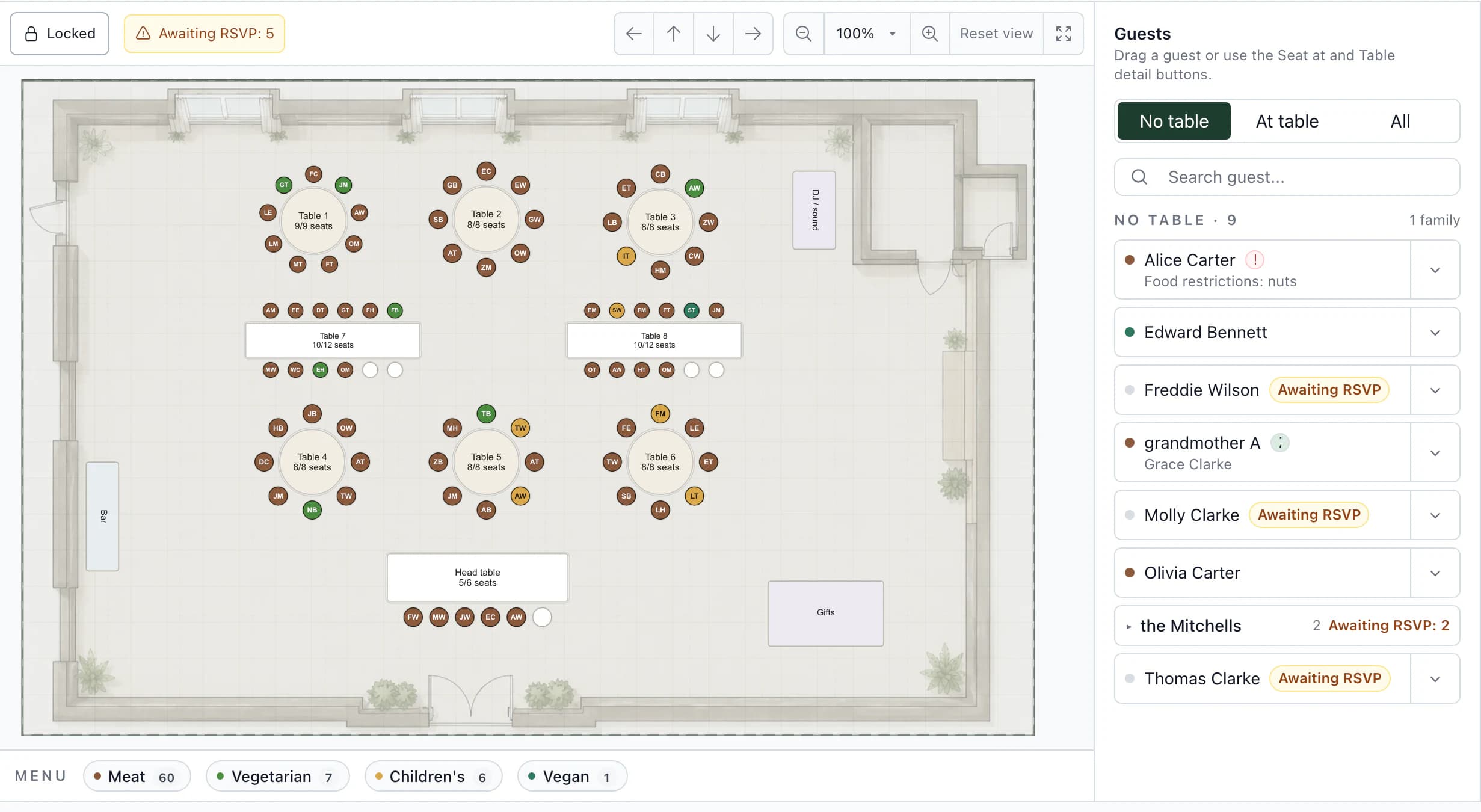
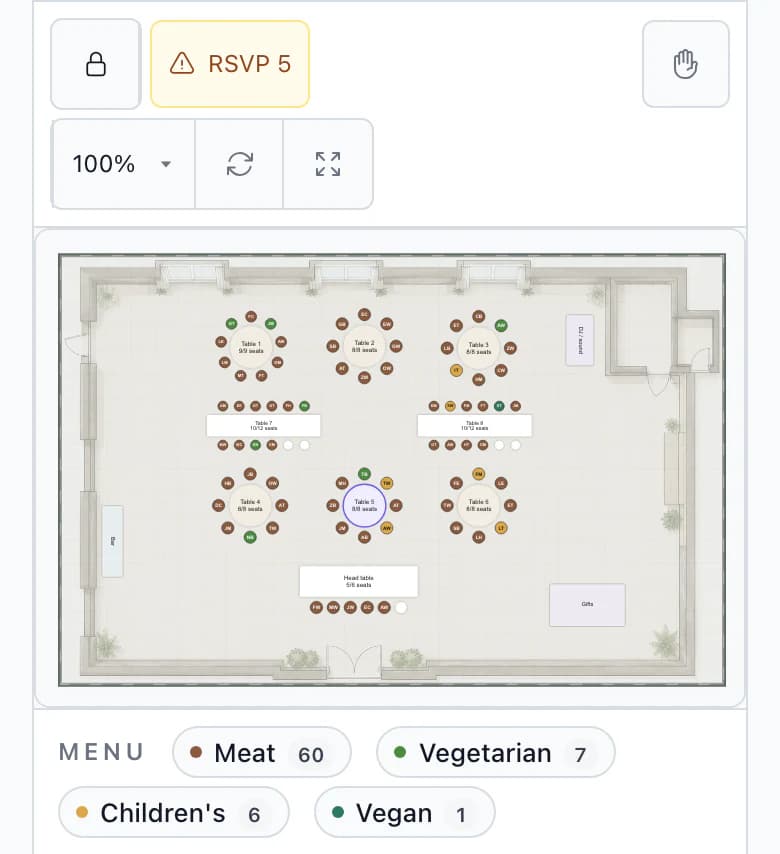
One RSVP updates the seating chart and the kitchen count.
The answer, the meal choice and any allergy are saved on the guest. At the table you see who still hasn't replied, and the caterer's counts come from the same record.
02Rooms
Rooms assigned night by night.
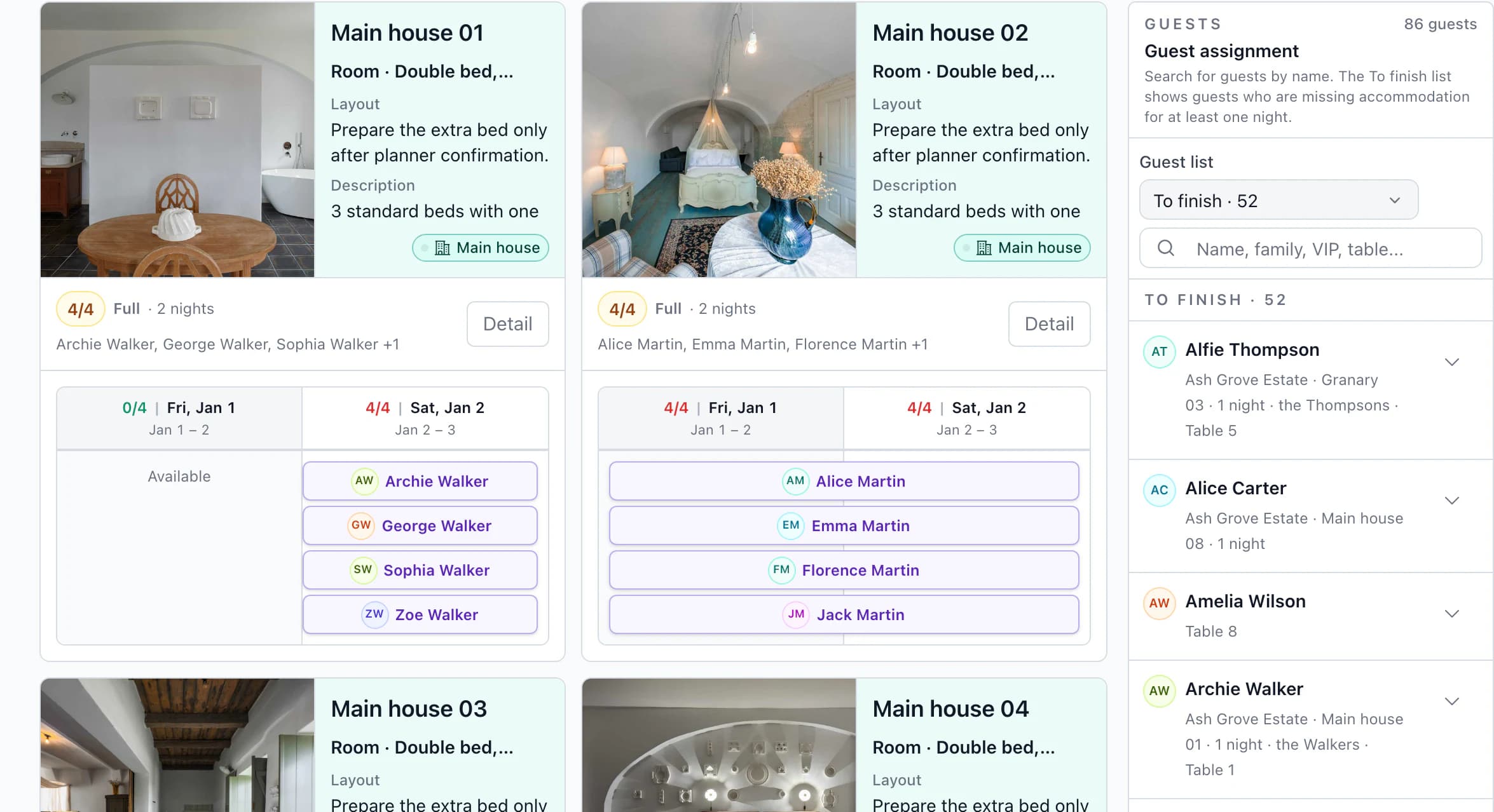
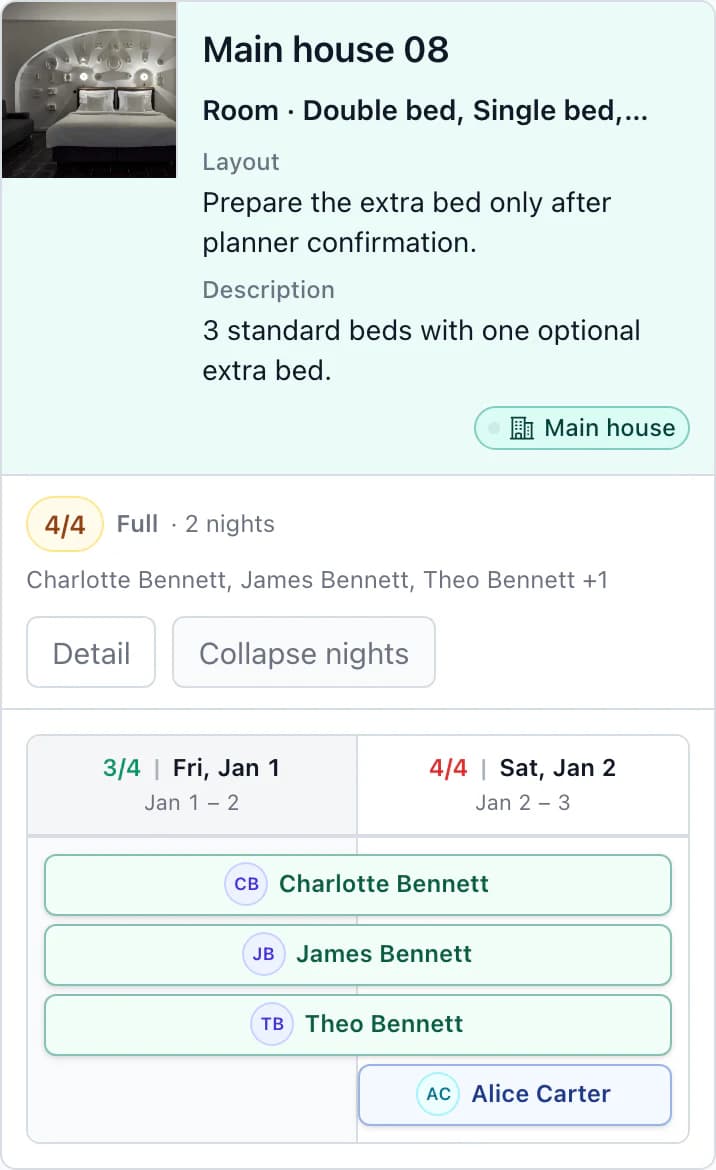
Friday arrivals and Saturday stays are planned separately. The front desk gets an alphabetical list with every guest's room for each night, including who changes rooms.
03Vendors
Every vendor gets their own version of the day.
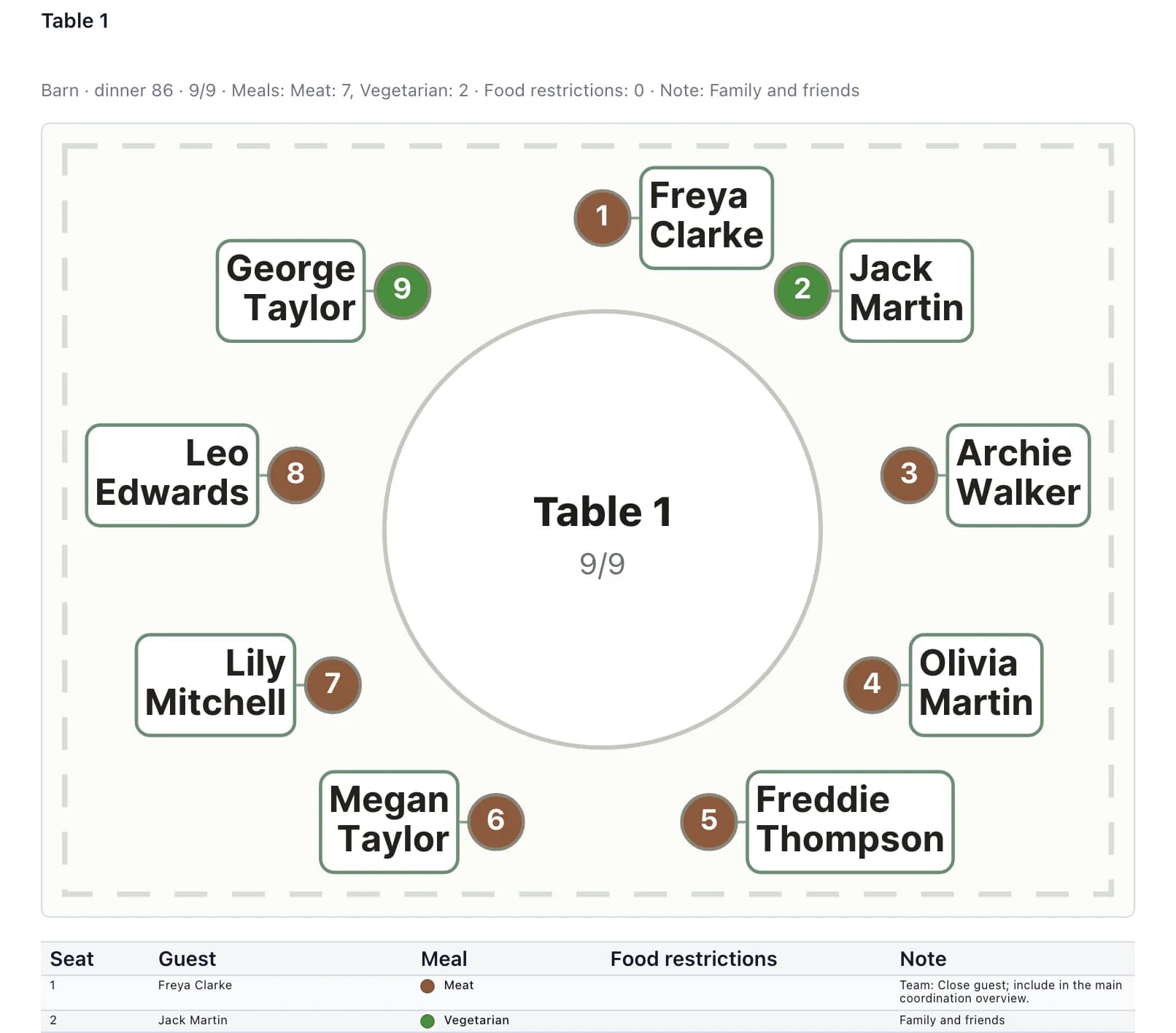
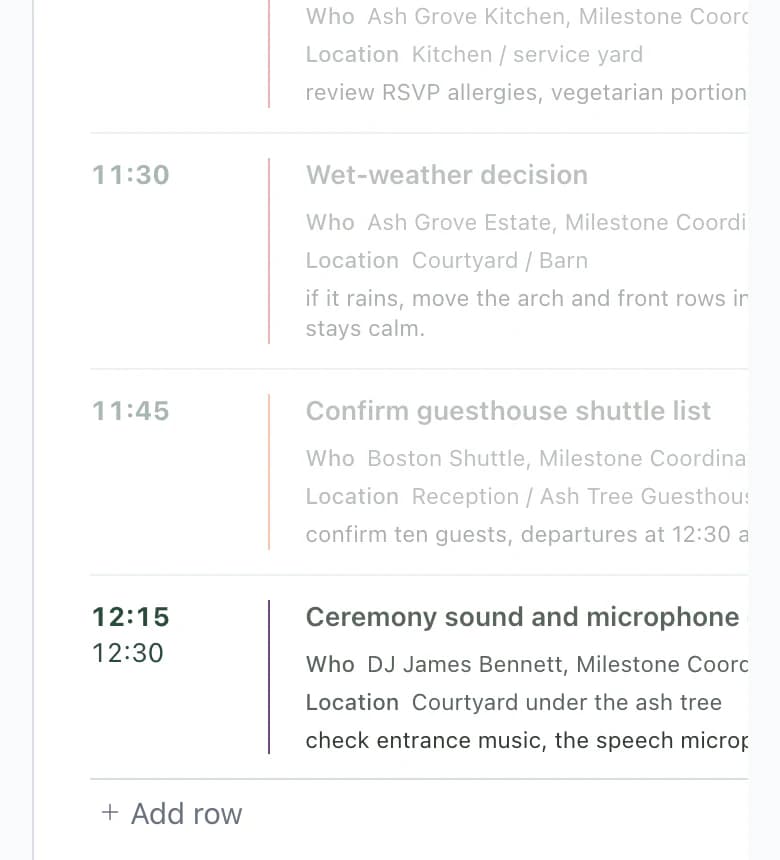
The DJ's copy has the shared schedule plus the DJ's own cues. Servers get the table map with seat numbers and each guest's meal. Send it as a PDF or a link.
Start with your next booked wedding
Finish the weddings already in progress where they are. The two tools don't sync.
Upload the guest list
Export it as CSV or Excel, upload it and match the columns in the preview.
Invite the couple when you're ready
They add guests and responses themselves.
Frequently asked questions
Questions about switching from WeddingPlan.
Didn't find your answer? Write to us through support.
Which languages do WeddingPlan and Kruspin work in?
WeddingPlan's site is in French and English. Kruspin's app and website are in ten languages, French and English among them.
Does Kruspin handle contracts and payments?
No. Kruspin tracks the budget, vendor deposits and a payment plan, but it doesn't send contracts for e-signature, issue invoices or take card payments. Keep the tool you use for that today.
Can I bring guest lists from WeddingPlan?
Yes, if your current tool or spreadsheet exports them. Upload a CSV or XLSX file, or paste rows, and match the columns in the preview. It's a one-time import; nothing syncs back.
Can my couples log in?
Yes. Invite them by email when you want them to add guests and responses themselves. They work in the same wedding, without your internal threads and tasks, and they can see the budget but not change prices or payments.
What happens after I create an account?
Your account opens with a sample wedding that already has guests, a seating chart, rooms and vendor documents, so you can try things before you set up your own.
See it on a wedding that is already set up.
Your account starts with a sample wedding: guests, a seating chart, rooms and vendor documents, ready to change.